

United Airlines
United Airlines App Info
-
App Name
United Airlines
-
Package Name
com.united.mobile.android
-
Developer
United Airlines -
Category
Travel & Local -
Updated
2026/09/29
-
Version
4.2.98
1. Reviewer’s View
From my reviewer’s perspective, the United Airlines App Download experience starts with a clear promise: planning through booking to the day of travel. It feels built for momentum and fewer steps.
When I install United Airlines, the first thing I notice is how quickly the app moves from searching to confirming. Flight discovery across the network is straightforward and easy to scan.
During trip prep, the Travel-Ready Center stands out as a practical hub. It helps translate requirements into actions, especially when schedules, documents, or preferences shift.
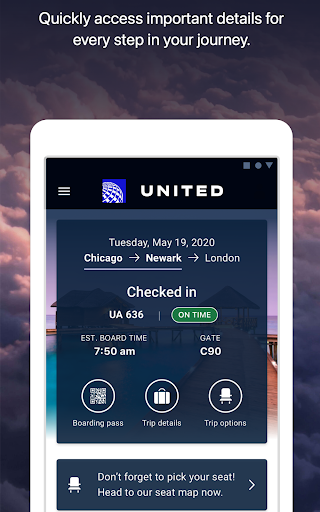
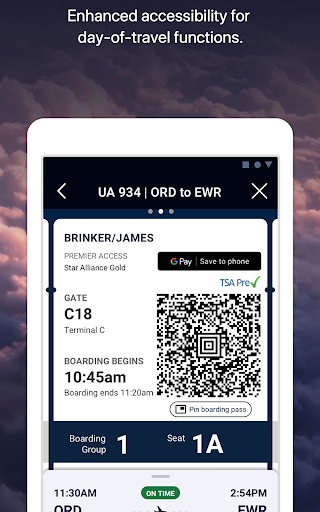
Check-in is another highlight I can see immediately. The app helps you get your boarding pass before you reach the airport, reducing anxiety and time spent waiting in line.
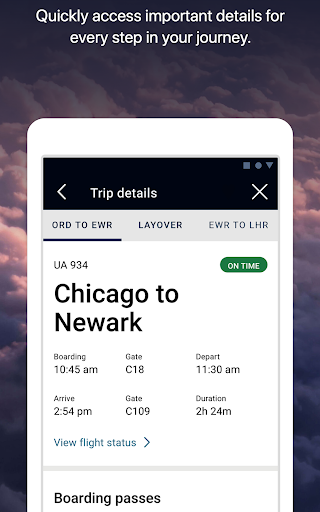
On travel day, real-time boarding progression and terminal guidance make the app feel “live.” I like that gate info, transfer time, and flight updates appear in one place.
For baggage handling, the app’s bag tracking and drop shortcut concept reduces uncertainty. It’s easier to follow what’s happening with your luggage as you move through the airport.
Finally, support tools improve the overall flow. If something goes wrong with your flight, the app helps you figure out your next move, including delays or cancellations.
One feature I tested in this United Airlines App review is in-app entertainment and purchasing. It’s convenient to watch movies, play games, and pay for inflight snacks while flying.
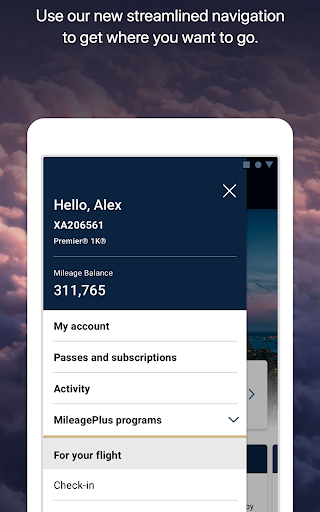
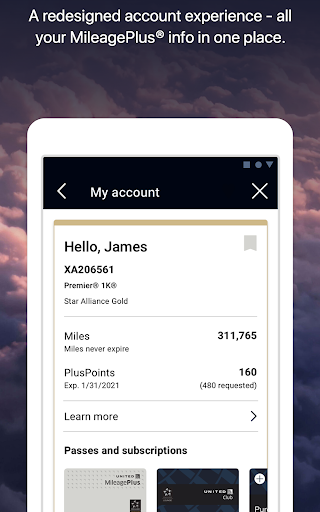
The MileagePlus angle also matters. Enrolling, managing your account, and using miles for award travel are integrated without feeling like a separate product.
For connectivity, the high-speed inflight Wi‑Fi experience enabled by Starlink is a strong differentiator. It’s especially compelling for MileagePlus members on select flights.
Overall, this free United Airlines app aims to keep you organized, informed, and ready, instead of forcing you to juggle separate sites or paper steps.
2. Four strong points of the United Airlines app
First, the search and booking flow is efficient. The United Airlines App Download process leads to a smooth way to find flights and book them across the global network.
Second, the app makes airport time easier. Check-in, boarding pass access, and real-time gate updates support a calmer arrival and smoother boarding.
Third, itinerary changes feel manageable. You can change seats or flights if something better becomes available, which helps when plans need flexibility.
Fourth, updates are well distributed across notifications. I appreciated ongoing updates in both the notifications tray and lock screen, so key changes don’t get missed.
Even with a United Airlines free download setup, the combination of maps, terminal guidance, and baggage tracking helps the app function like a travel companion.
3. Four weak points of the United Airlines app
One drawback is that the experience can feel dense for first-time users. There are many features, and some travelers may need a moment to learn the layout.
Second, update timing can be mixed depending on flight and connection status. Real-time claims are helpful, but occasional delays in information can still happen.
Third, the feature set may tempt you to manage everything inside one app. That’s convenient, but it also increases reliance on the app’s connectivity at critical moments.
Fourth, while inflight Wi‑Fi is impressive when available, it’s not guaranteed on every route. That limits the value of the United Airlines App across all trips.
In a free United Airlines app context, I also expected more offline-style resilience. When connectivity is limited, certain screens feel less useful than they should.
4. What’s new
In the latest version, the app experience is more streamlined from booking to day-of-travel, keeping key details visible where you need them most. This supports a faster United Airlines App Download journey.
Updates also focus on better guidance during airport navigation. The built-in Terminal guide and airport maps feel more reliable when you are rushing between gates.
Notification behavior has been refined too. I saw clearer updates for boarding progression, transfer timing, and gate changes, which makes the app feel more attentive during busy periods.
Finally, the app improves the connection experience by consolidating flight updates, transfer time, and gate info in one view. That makes it easier to stay prepared when you install United Airlines.
If you’re looking for a United Airlines free download, these upgrades matter because they reduce friction and help you act quickly when plans change.
On balance, this United Airlines App review suggests the newest improvements aim to protect your time and reduce uncertainty from planning through boarding.


